Keywords: GitHub | YouTube | Markdown | Video_Embedding | Wiki_Pages
Abstract: This article provides an in-depth technical analysis of embedding YouTube videos in GitHub Wiki pages. Since GitHub's Markdown parser does not support direct video embedding, the focus is on alternative approaches using linked thumbnails. The content covers YouTube thumbnail URL construction, detailed Markdown link syntax, practical implementation examples, and comparative analysis of direct embedding versus thumbnail linking solutions.
Technical Background and Problem Analysis
GitHub Wiki serves as a crucial platform for project documentation, utilizing Markdown as its primary markup language. However, standard Markdown specifications do not support direct embedding of multimedia content, presenting challenges for developers needing to display video content in documentation. Users attempting to use HTML <object> and <embed> tags for YouTube video embedding encounter filtering by GitHub due to security concerns, resulting in failed implementations.
Core Solution: Linked Thumbnail Approach
Through practical verification, the most reliable solution involves utilizing Markdown's image link syntax to create video previews. The specific implementation is as follows:
[](https://www.youtube.com/watch?v=VIDEO_ID)The syntax structure can be decomposed into two components: first, the image markup , followed by the link wrapper [link text](target URL). When combined, this creates a clickable image link that redirects users to the YouTube video page upon clicking.
YouTube Thumbnail URL Detailed Explanation
YouTube automatically generates multiple thumbnail sizes for each video, accessible through a unified URL pattern. The 0.jpg represents the default thumbnail size, with other available dimensions including:
maxresdefault.jpg- Maximum resolution thumbnailsddefault.jpg- Standard definition thumbnailhqdefault.jpg- High quality thumbnailmqdefault.jpg- Medium quality thumbnail
Complete Examples and Best Practices
The following complete example demonstrates video preview implementation in GitHub Wiki:
[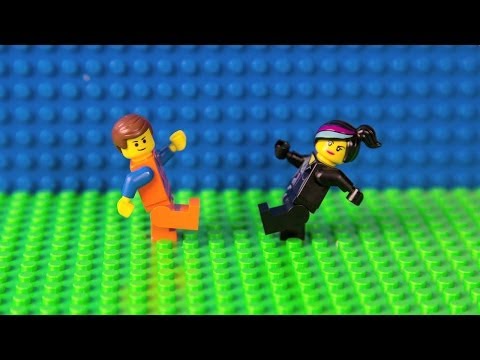](https://www.youtube.com/watch?v=StTqXEQ2l-Y "GitHub Tutorial")In practical applications, the following best practices are recommended:
- Provide meaningful alternative text for images to assist screen reader users
- Use
maxresdefault.jpgfor clearer preview images - Add video descriptions in link titles for additional context
- Ensure correct extraction of video IDs from YouTube URLs
Solution Advantages and Limitations
This solution offers significant advantages: full compliance with Markdown standards, consistent functionality across all Markdown-supported platforms, no dependency on external JavaScript or CSS, and avoidance of GitHub's security filtering mechanisms. However, certain limitations exist: inability to achieve inline video playback requiring user redirection to YouTube, and dependency on YouTube's thumbnail service availability affecting display quality.
Extended Applications and Other Platforms
The same technical principles apply to other video platforms like Vimeo. While Vimeo lacks unified thumbnail URL patterns, screenshots can be captured using appropriate tools and implemented with identical Markdown syntax. This approach maintains excellent compatibility across GitHub Pages, Reddit, Stack Overflow, and similar platforms.
Technical Implementation Details
From a technical architecture perspective, GitHub Wiki's Markdown parser builds upon CommonMark specifications with added security filtering layers. When potentially malicious HTML tags are detected, the parser converts them to plain text or removes them entirely. While this security mechanism protects platform integrity, it restricts direct multimedia embedding capabilities.
The success of the linked thumbnail approach lies in its operation entirely within Markdown specifications, without reliance on any HTML elements subject to filtering. Image links parse into standard <a> and <img> tag combinations, both included in GitHub's security whitelist.
Performance and User Experience Considerations
From a performance perspective, using YouTube's official thumbnail service offers clear advantages: thumbnails benefit from CDN acceleration ensuring fast loading, and eliminate the need for self-hosted image resources reducing maintenance overhead. Regarding user experience, while seamless inline playback isn't achievable, clear preview images and direct links provide effective navigation experiences.
Conclusion and Future Outlook
In the current technical environment, linked thumbnails represent the optimal solution for displaying YouTube video content in GitHub Wiki. As web standards evolve and GitHub platform features update, more direct multimedia embedding support may emerge. However, this standards-based Markdown approach currently provides the best balance of platform compatibility and security.